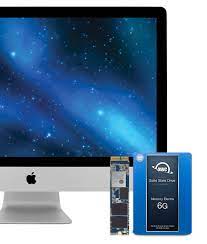
Various Options for Upgrading Storage
- 250 GB
- 500 GB
- 1000 GB (1TB)
- 2000 GB (2TB)
- 4000 GB (4TB)
- 8000 GB (8TB)
Advantages of Adding an SSD (Solid State Drive) to Your iMac
Adding a solid-state drive (SSD) to your iMac can have a number of important advantages, such as:
- Faster Performance: Compared to conventional hard disk drives (HDDs), SSDs operate far more quickly. Because they can read and write data more quickly, your iMac will start up and run apps faster, as well as transfer files considerably more swiftly. The system will feel significantly snappier and more responsive overall.
- Enhanced Reliability: Since SSDs don't have any moving parts like HDDs do, they are more resilient to physical harm from shocks and drops. This enhanced resilience results in better dependability and a lower chance of data loss.
- Decreased Noise and Heat: SSDs run more quietly and produce less heat because they don't contain any moving parts. This makes the iMac quieter and cooler, which improves the working atmosphere.
- Improved Energy Efficiency: Compared to HDDs, SSDs use less electricity. Upgrading to an SSD may help your iMac use less power, which could result in longer battery life for versions that are portable or cheaper electricity costs for desktop iMacs.
- Enhanced Storage Speed: Accessing and loading files from an SSD is noticeably faster than from an HDD, in addition to quicker boot times and application launches. When working on large-scale projects like video editing or rendering, the speed increase is very apparent.
- Space Optimization: SSDs take up less physical room inside your iMac because they are available in smaller form factors than conventional HDDs. This can allow for easier future modifications or free up important internal space that can be used for other purposes.
- Extended longevity: SSDs typically outlast HDDs in terms of longevity because of their architecture and absence of mechanical parts. This implies that you should anticipate a longer duration of dependable and quick performance from your updated iMac.
- Compatibility: SSDs can be used with both the earlier and later models of iMacs. Options are available with varying storage sizes and connecting interfaces to accommodate different iMac configurations.
IRepair Service Center
Even if switching to an SSD has many advantages, it's crucial to remember that, especially for older iMac models, the upgrade process may call for technical know-how or expert assistance. To avoid any possible loss during the transfer process, make sure you back up all of your crucial data before updating.All things considered, switching to an SSD for your iMac can revitalize the device and greatly enhance its overall use, dependability, and speed. For more information, visit or get in touch with IRepair Kathmandu Center Right Now.